Fill out the applicationComplete all applicable fields starting on Page 2. Use N/A where needed.
SUPERIOR BAY MARINE OF ALABAMA, LLC
Employment Application
Complete the fillable PDF below. When finished, use the PDF viewer's Save/Download button to save your completed application as a PDF. You can then select that completed PDF and your requested credential copies and send them through your email app/provider.
APPLICATIONS ARE SENT TO
tim@superiorbaymarineal.com
Save or print the completed PDFUse the PDF viewer's Save/Download or Print button after you finish.
Email the completed packetSelect the saved PDF and your requested credential pictures/scans below.
✓
Have these document pictures or scans ready
Please include clear, readable copies with your completed application:
Driver's LicenseFront and back
TWIC CardFront and back
Merchant Mariner Credential (MMC)If applicable
USCG Medical CertificateIf applicable
Voided CheckOptional - only if using it for direct deposit setup
Phone pictures are acceptable if the entire document is visible, sharp, and readable. PDF scans are also acceptable.
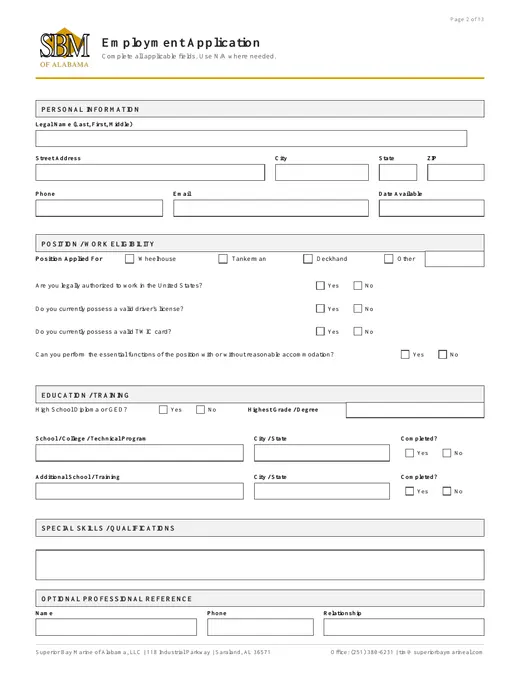
13-PAGE FILLABLE APPLICATION
Open the application at full size
Safari does not display this fillable PDF correctly inside the page. Open it full screen so the application is normal size, easy to read, and ready to type in.
Applicants start on Page 2. Page 1 is for SBM Office / HR use only.
Phone or browser not letting you type?
Tap Open Full Screen to open the same fillable PDF directly. After completing it, use that PDF viewer's Save/Download button.
Before emailing:
Save the completed application as a PDF. A good filename is First Last - SBM Employment Application.pdf.
Finished with the application?
Select your saved completed PDF and credential copies, then send them through your email app/provider.